Helping players change laws in a strategy game
- Role
- Solo UX designer · UX researcher
- Brief
- Paradox design sprint, for a hypothetical game
- Tools
- Figma; Gemini and Layer.ai for placeholder art
- Timeline
- 1 week
Show players the consequences of a decision before they commit, so every change of law is an informed one.

A grand strategy game is a web of systems: laws, resources and people all pull on each other.
In this one-week sprint for Paradox, I worked on the legal system of a hypothetical medieval fantasy game: how players take in complex information, and how they see one decision ripple into the rest of the game.
You rule a realm, and every law you set ripples outward
You look down on a world map as the ruler. Your realm has laws, and for each one you choose a stance. How you run that legal system raises or lowers the realm’s resources, and changes how its people feel.
One law, four stances, four different realms
Take Necromantic Privileges. Each stance pushes Magical Power and Happiness in its own direction. Watch them cycle, or tap a stance to take over.
Necromantic Privileges
Forbidden · ready to enact- ✓ Ruler is Devout or Just, or Priests’ opinion +75
- +15 Happiness
- −25 Magical Power a month
- +10 Priests’ opinion
- −10 Sorcerers’ opinion
- −50 Necromancers’ opinion
- Unique: Unlocks Dragons
Forbidden and Restricted use the sprint’s tooltip values; Allowed and Promoted are placeholders, as all game content was.
The information exists, but it’s scattered across screens
Colour schemes, icons, visual hierarchies and walls of text each carry part of the answer, spread over several screens.
The job: make it digestible, and fit what matters into a single tooltip, so players can help their population thrive.
3 categories, up to 5 laws each, 60 possible choices
Every stance brings its own costs, requirements and effects on resources and people.
- Arcane Academy Endowment
- Necromantic PrivilegesForbiddenRestrictedAllowedPromoted
- Leyline Sanctification
- Mystical Beast Preservation
- Elemental Conduit Act
- Royal Charter of Merchants
- Master Craftsman Accreditation
- Alchemist’s Guild Monopoly
- Artisan Protection Decree
- Engineer’s Guild Innovation
- Land Tenure Reform
- Royal Edict of Justice
- Public Granaries Act
- Vagrant and Beggar Tax
- Feudal Muster Decree
Everything a player needs is buried in tooltips
Costs, requirements and consequences are read in small pop-ups, one at a time, before a click.
“I need to constantly go back and forth to check which law decision is affecting which set of people.” A die-hard player I interviewed
I spoke to 3 die-hard fans of the genre
Before designing a legal system, I had to learn how it works from the people who live in these games.
- 4+ years of grand strategy and 4X games
- 3+ hour sessions, hundreds of hours per game
- Learned from each other and from similar games, not from tutorials
“How does the legal system work, and how does it affect every other part of the game?”
Information overwhelm for new players is insane
Walls of text everywhere drive newcomers away.
Even for veterans, finding information is a maze
First you need to know what to look for, then where to find it.
Consequences stay hidden until a law is in force
Effects show only as + and − numbers in colour codes, with no visual cue.
Analysing the biggest pain points from the interviews
The legal system is an information dump, learned from other players rather than taught, and a law’s effects only show up as + and − text. Laws and the people they affect live on different screens.
Use transitions to communicate information. Deliver in sequence, revealing more as players dive deeper. Separate visually wherever possible.
Players learn this genre by playing similar games, so I studied the ones they named
Each one handles the same kind of information in a different way.
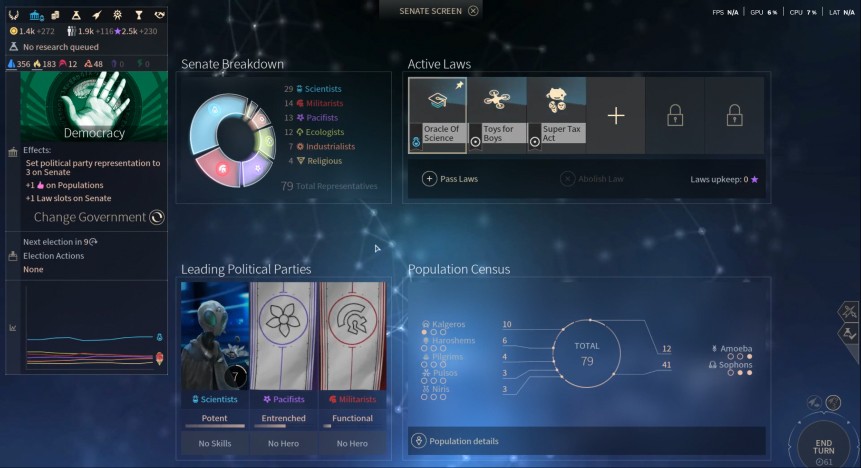
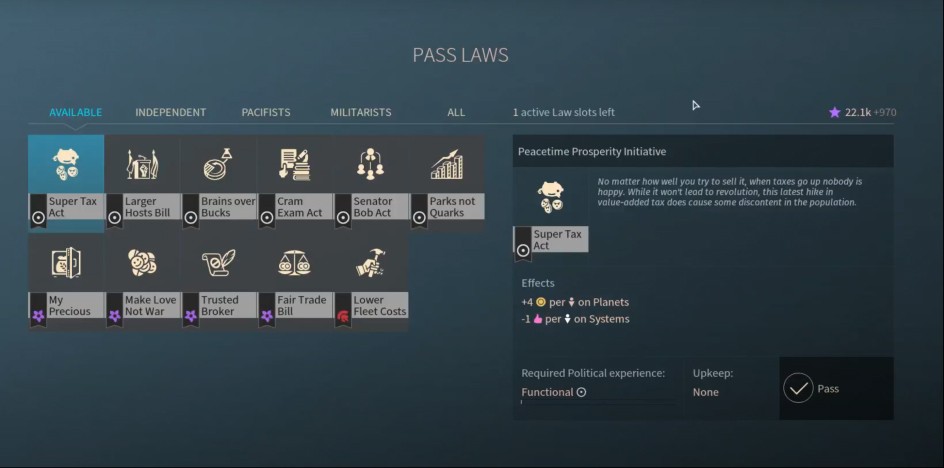
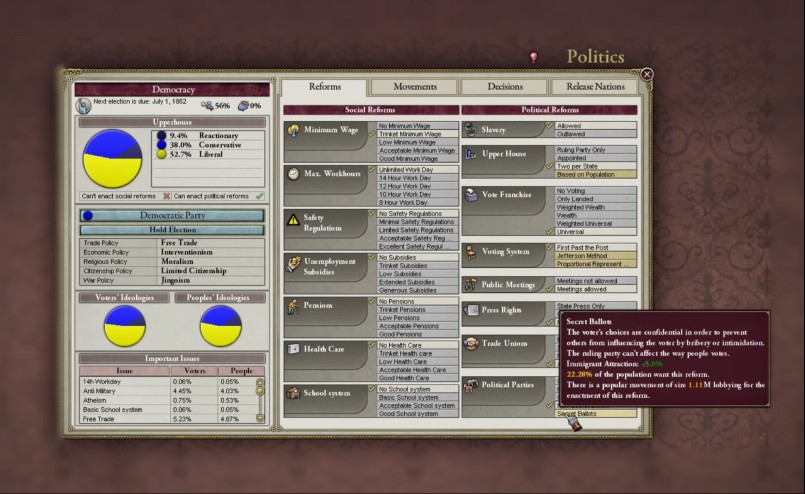
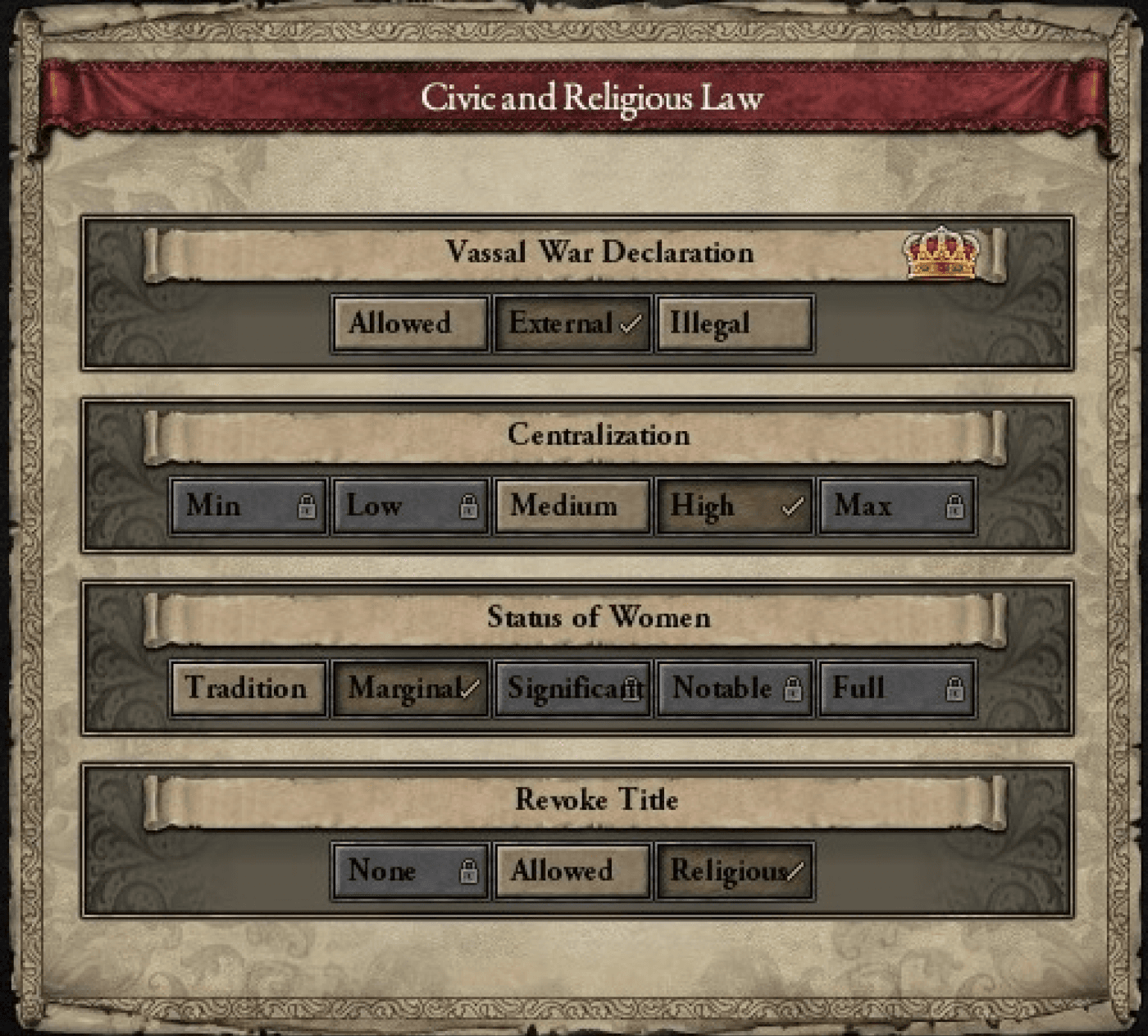
Tooltips are the most critical element
Players hover before they click
Status indicators are everywhere
Tooltips need breaking into smaller pieces
Finding a place to access the laws
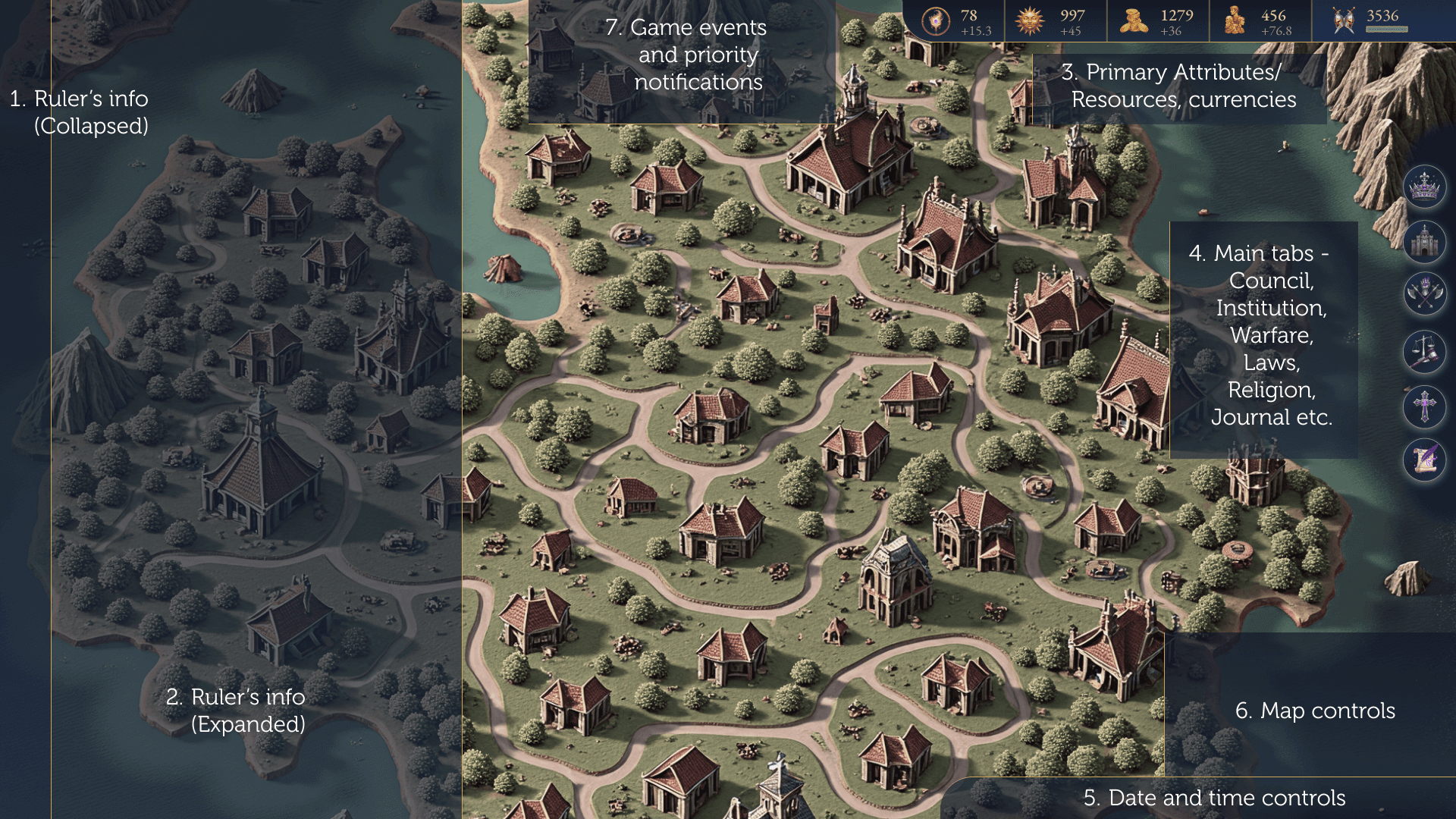
Before designing the laws screen, I needed to know where players would open it from. I zoned the main screen so each part sits where players of the genre expect it.
Then I made a high-fidelity mock of it, to see it in context.
 Laws
LawsJust the laws, nothing else
Victoria 3 shows every law, icon and number at once. I kept the first view to three categories and the stance set on each law, with no population data. The side panel stays hidden to reduce the load on new players.

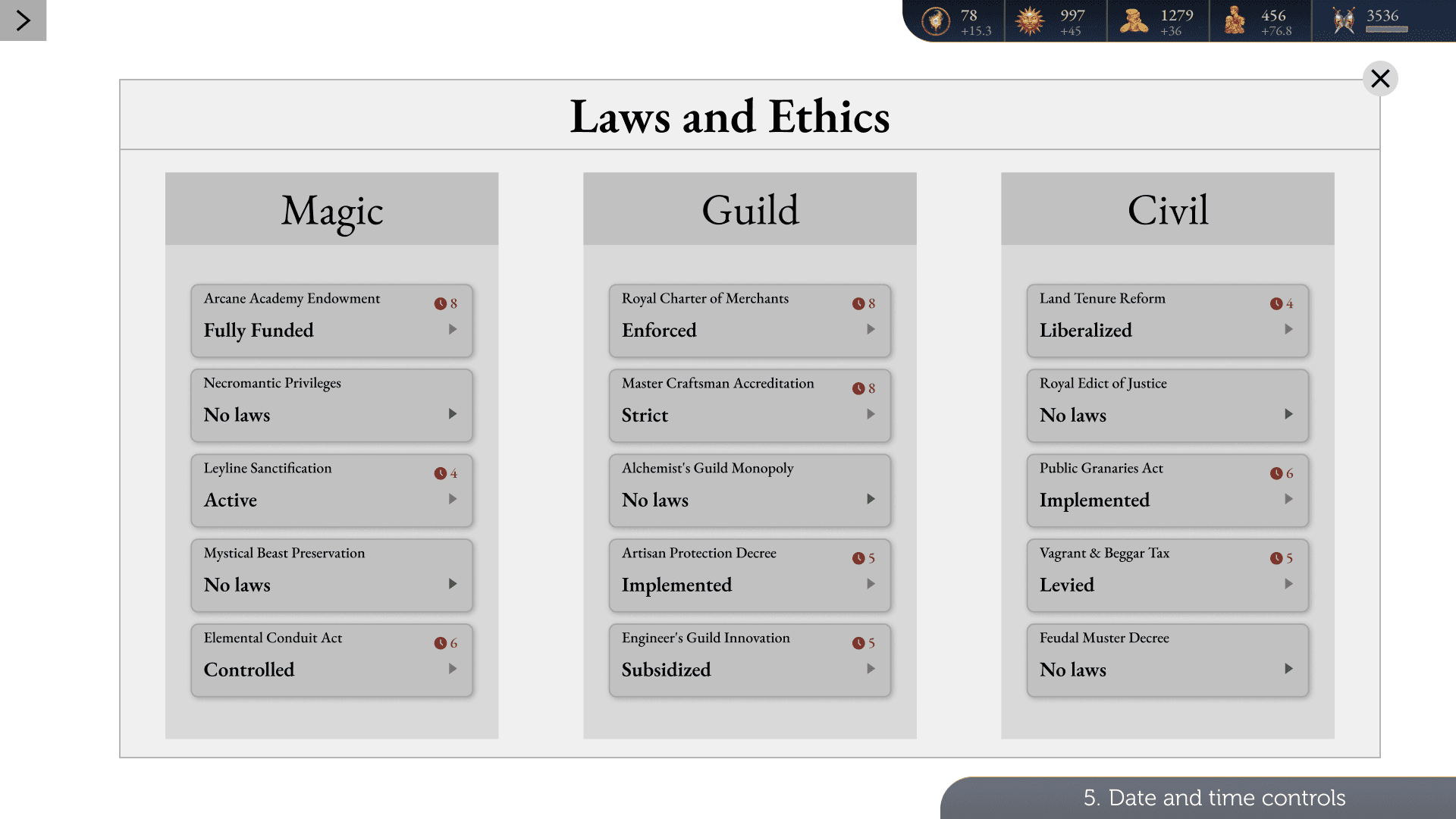
Before a decision, each law shows where it stands
More detail, only for players who want it
Engaged players can open the side panel for the realm’s population and the net effects of current laws. It stays hidden behind a tab, one step deeper.
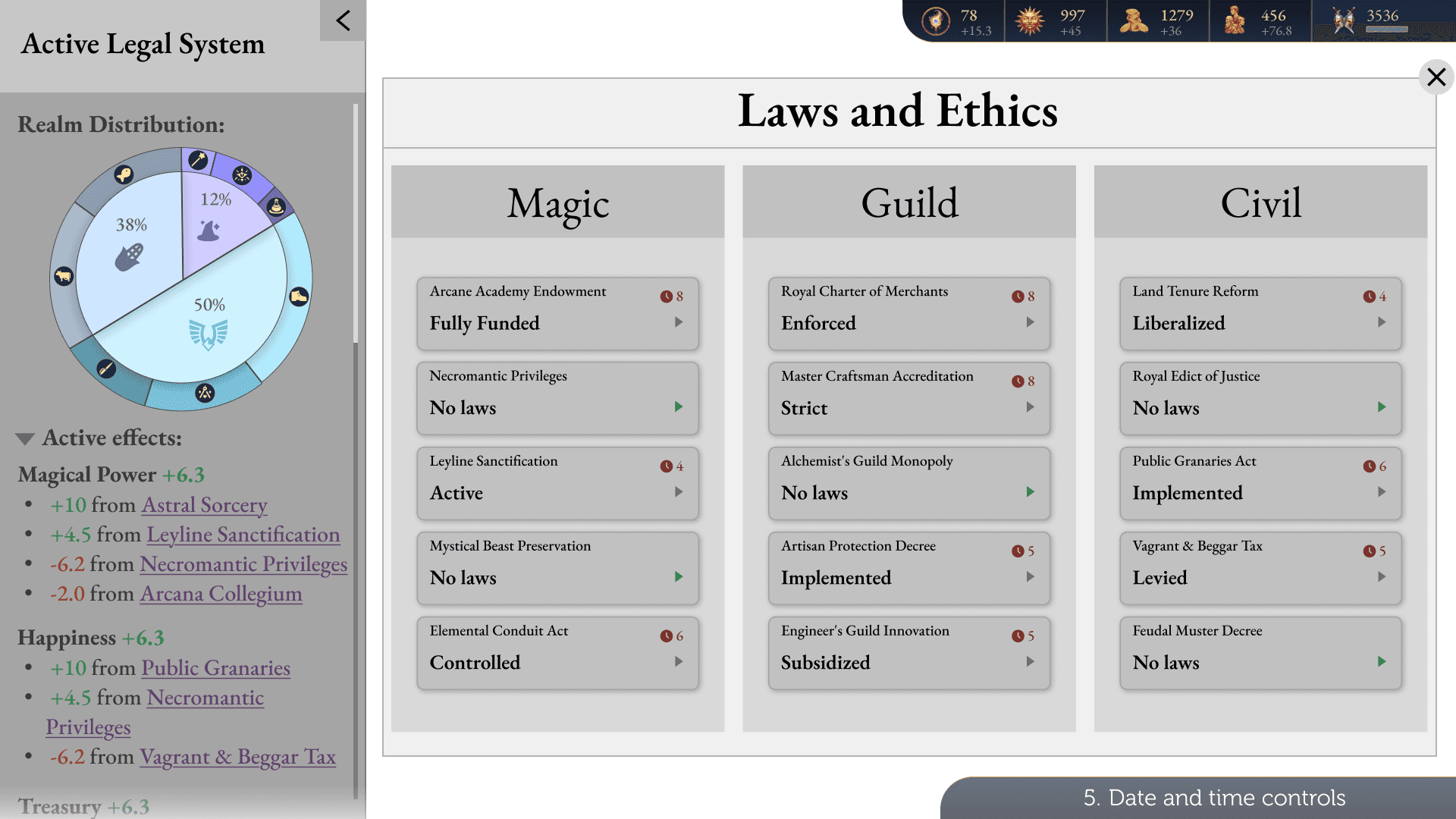 Side panel open · realm distribution and net effects of current laws
A pie chart for people, new to the genre
The games I studied show population as bars. Here, it’s a circle.
The inner circle is the primary split: Commonfolk, Sorcerers and Specialists. Click it and an outer ring opens with each group’s factions, such as the Cobblers, Masons and Thieves guilds. Hover a faction to see its loyalty and what changes it.

Tooltips are the backbone of this game
Every decision gets made in a tooltip, so I treated them as a system: fixed colours, fixed classes of information and a fixed reading order.
Green
Positives
Red
Negatives
Purple
Law titles
Teal
Stance titles
Brown
Guild decrees
Navy
Unique effects
Grey-brown
Flavour text
Dark grey
Default or neutral
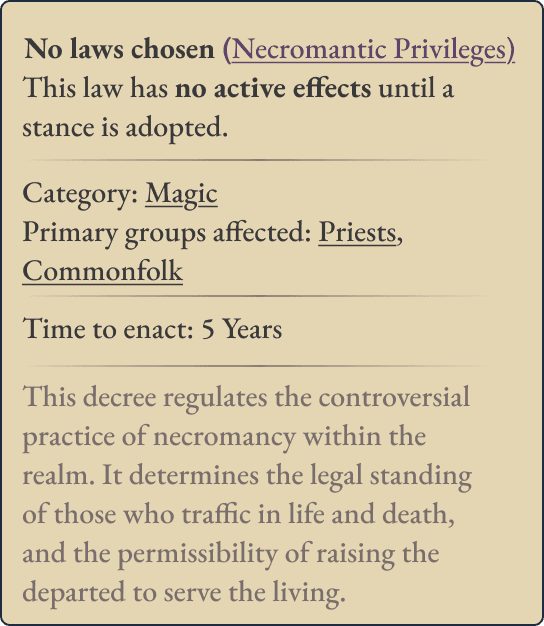
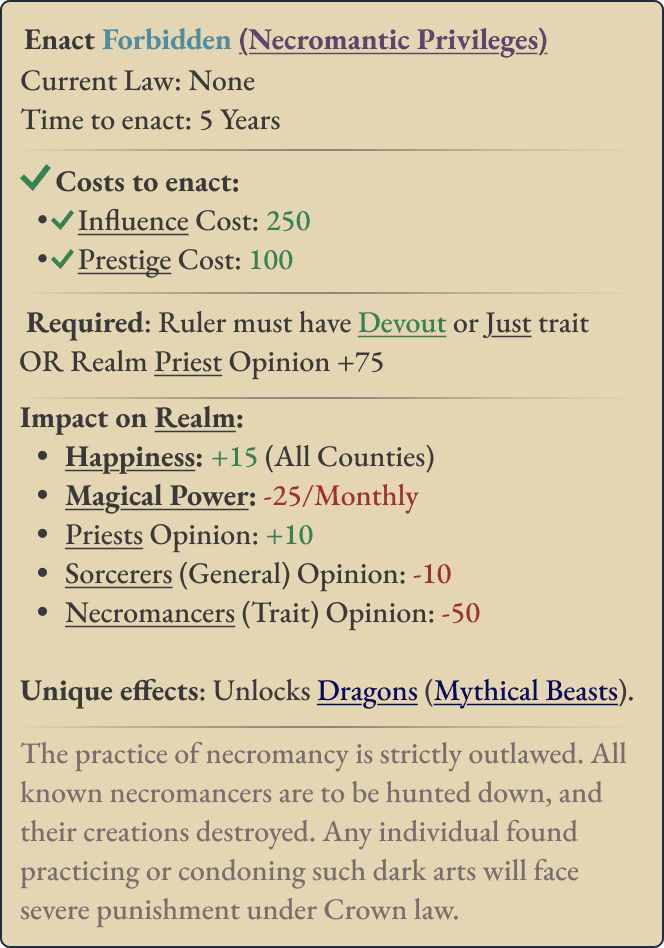
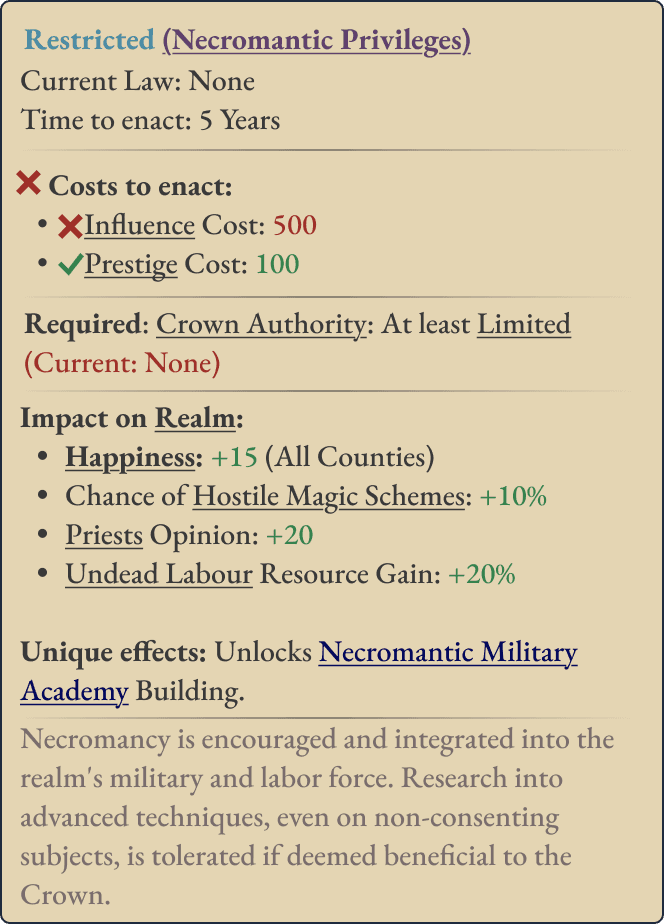
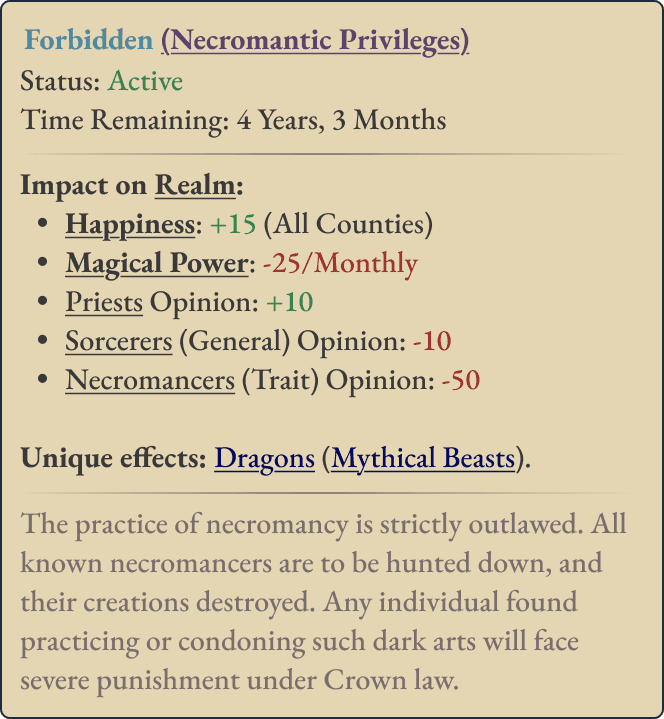
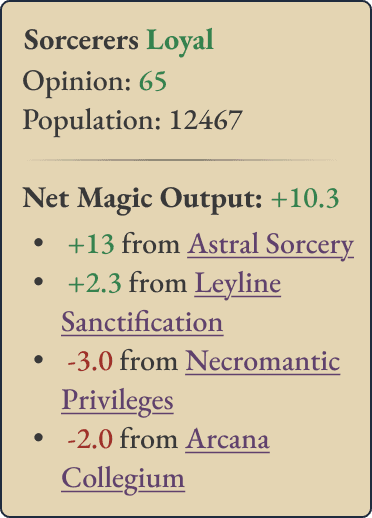
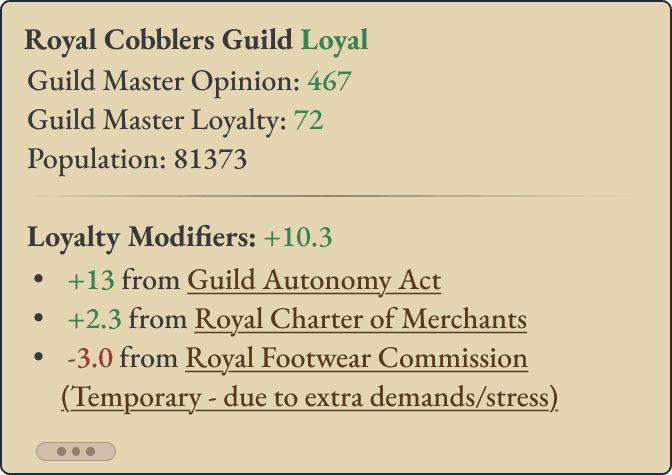
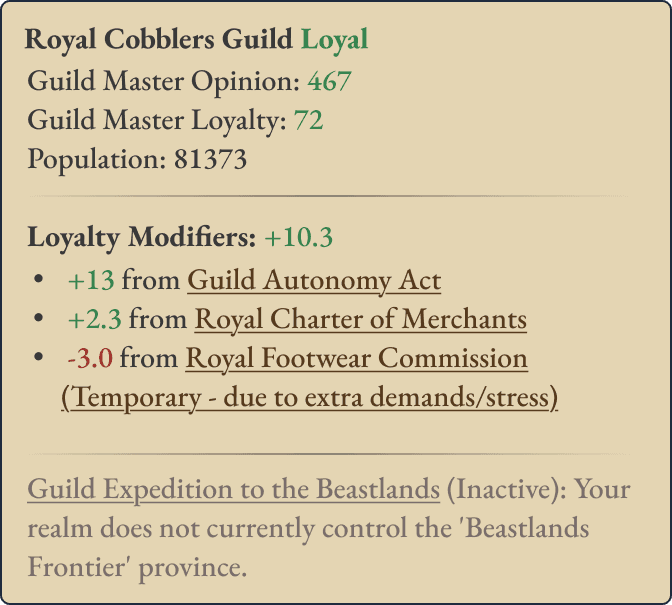
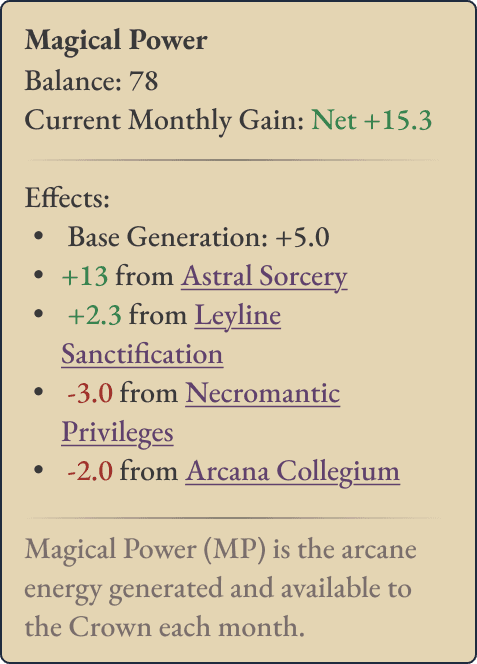
Each tooltip reads top to bottom, in the order a player’s questions come up
- Title, current status, base info
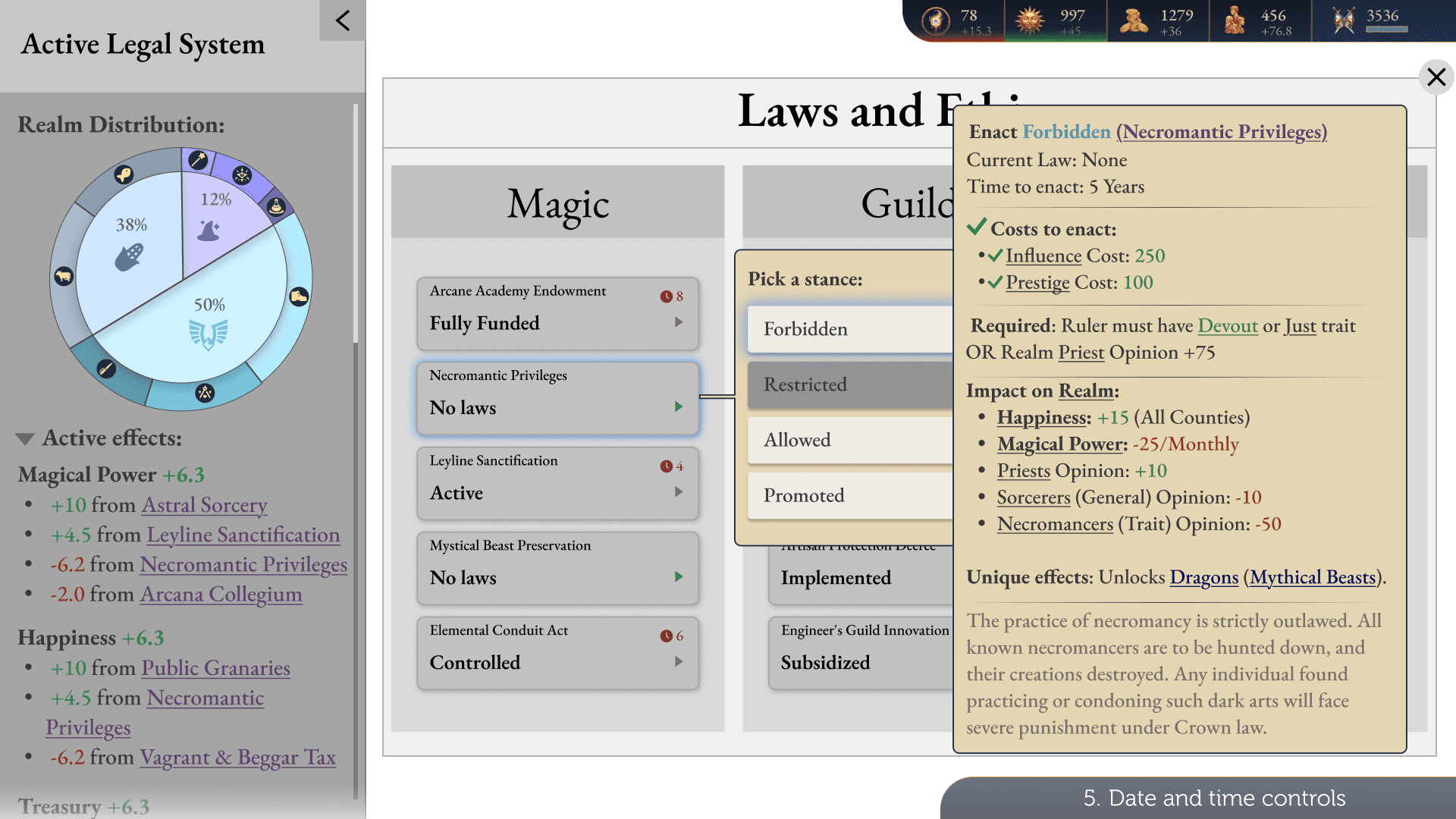
- Costs to enact the stance
- Requirements to be met
- Modifiers and effects, sorted into their own categories
- Flavour text, kept at the bottom for invested players
Changing a law, from first click to a realm that updates
One journey: choosing a stance on a law, with tooltips on hover helping the player decide.
Try it: change a law yourself
Click and hover right on the screen. The gold pulse shows where to go next.
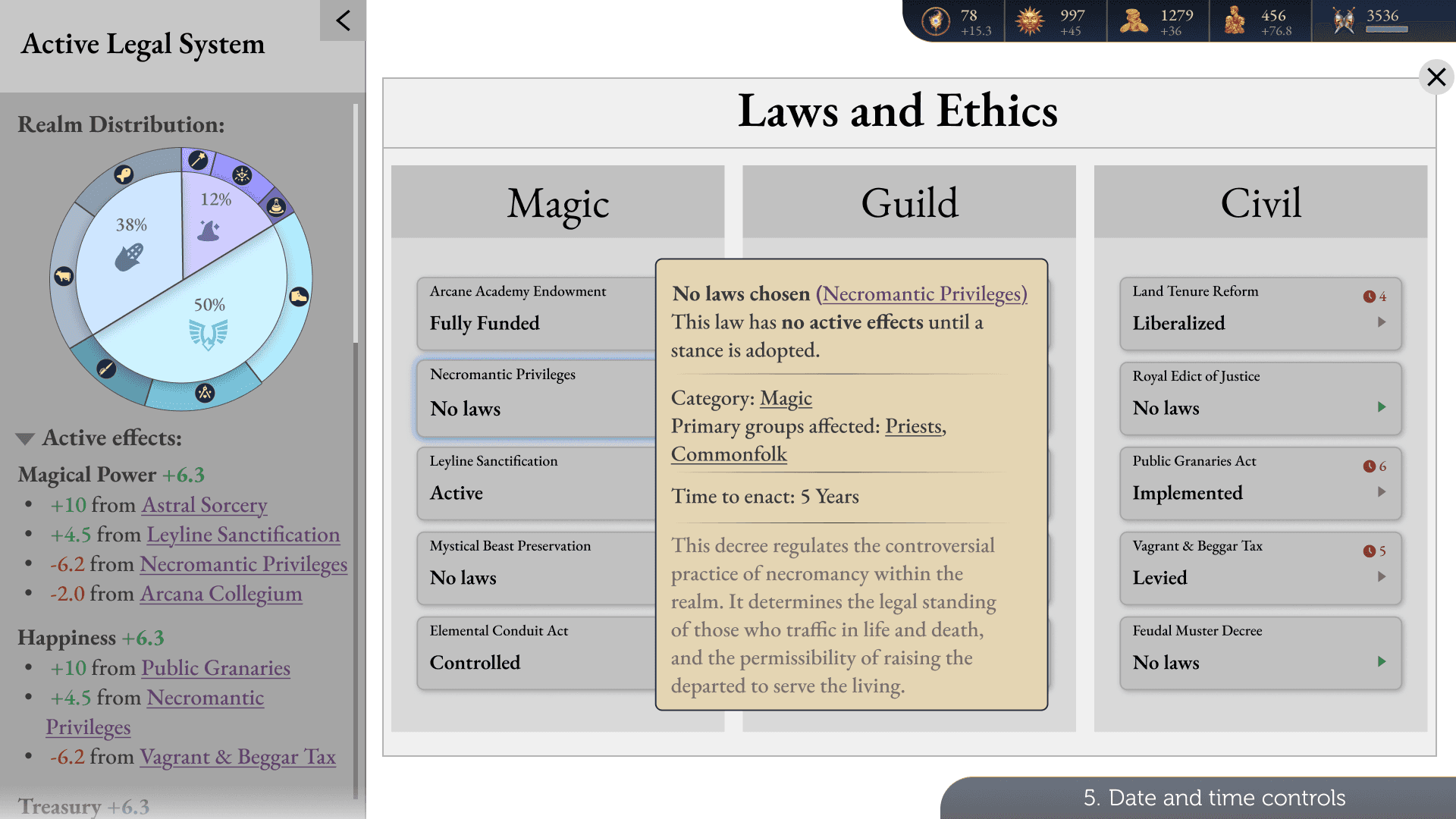
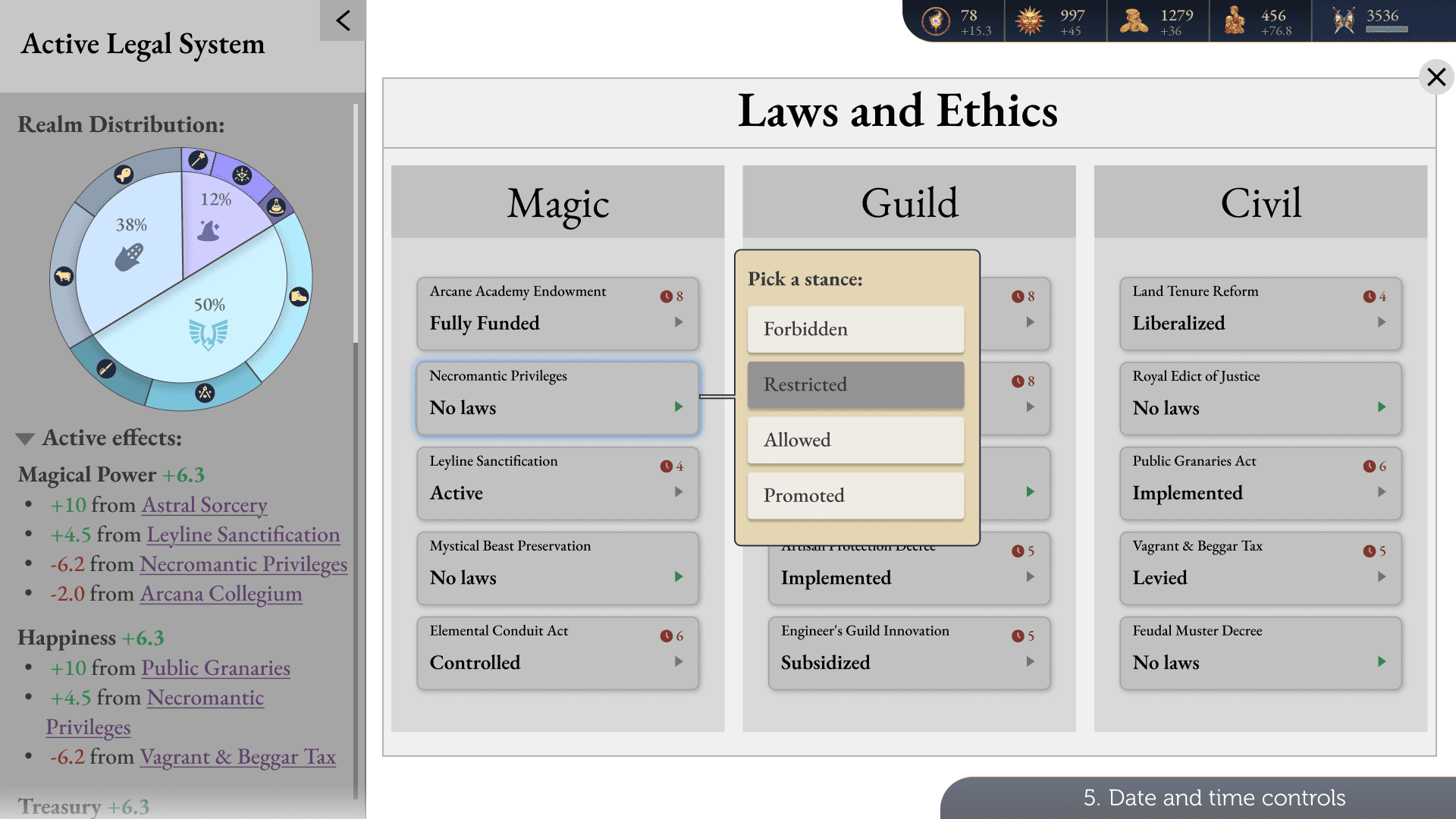
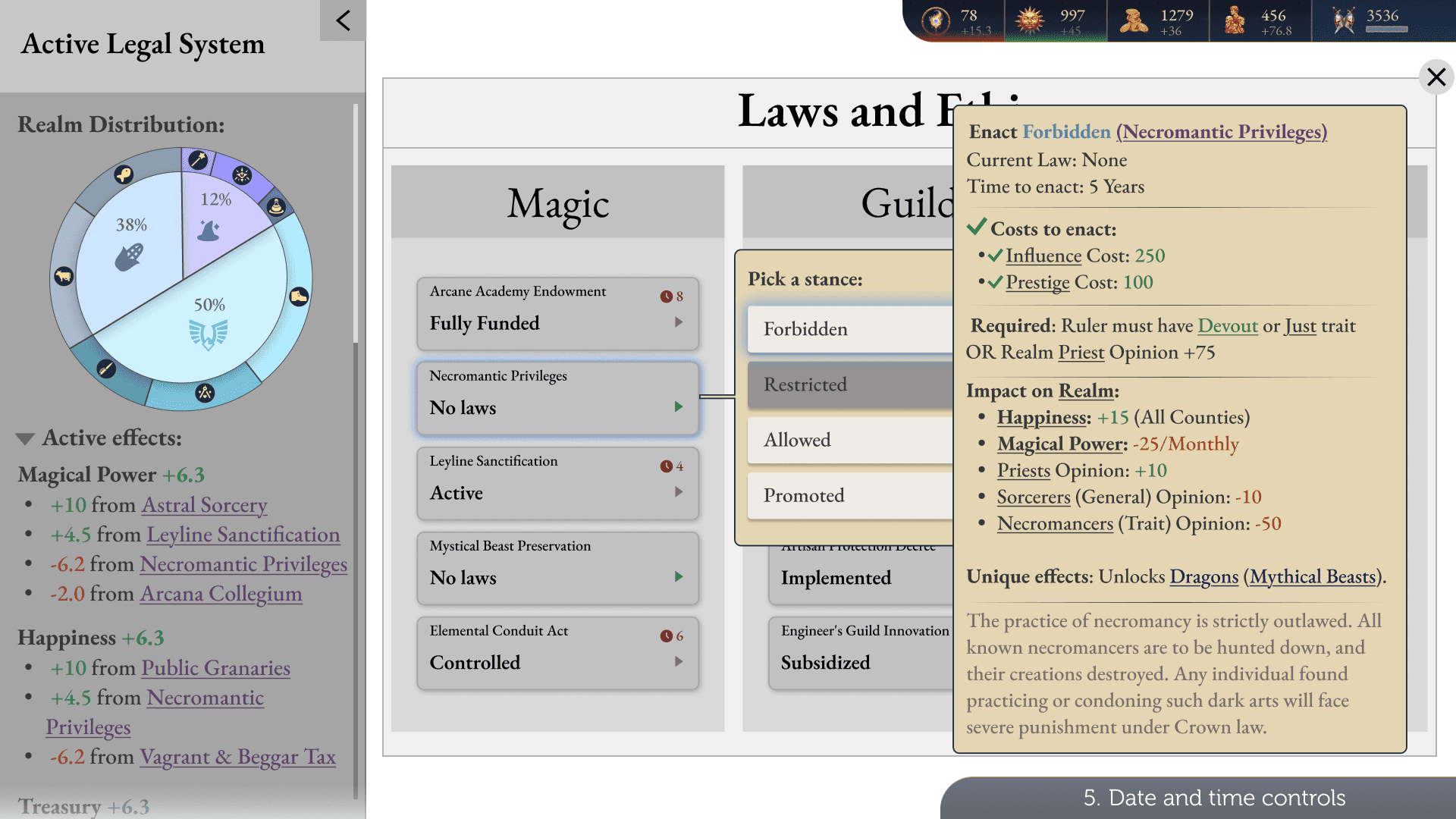
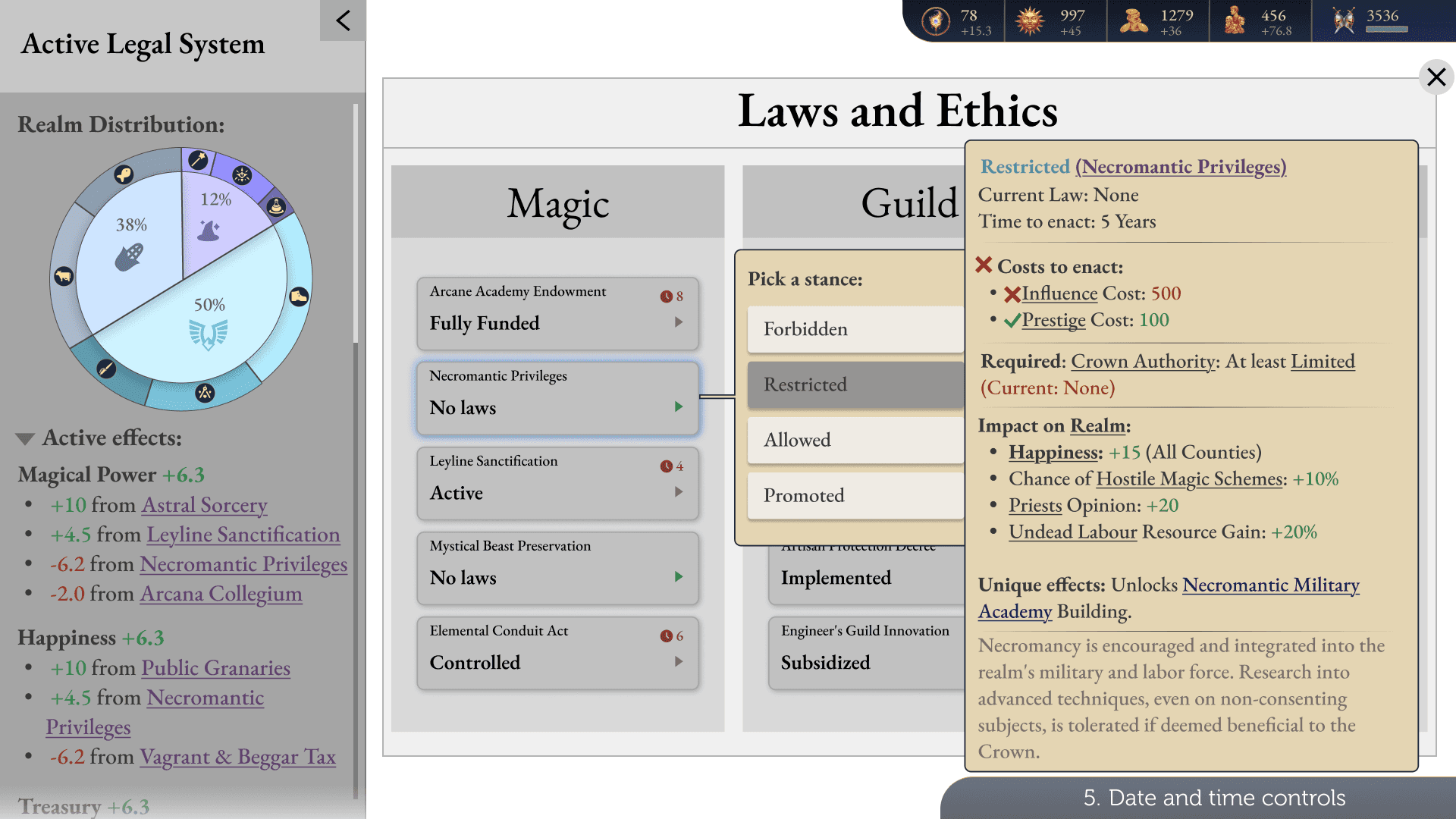
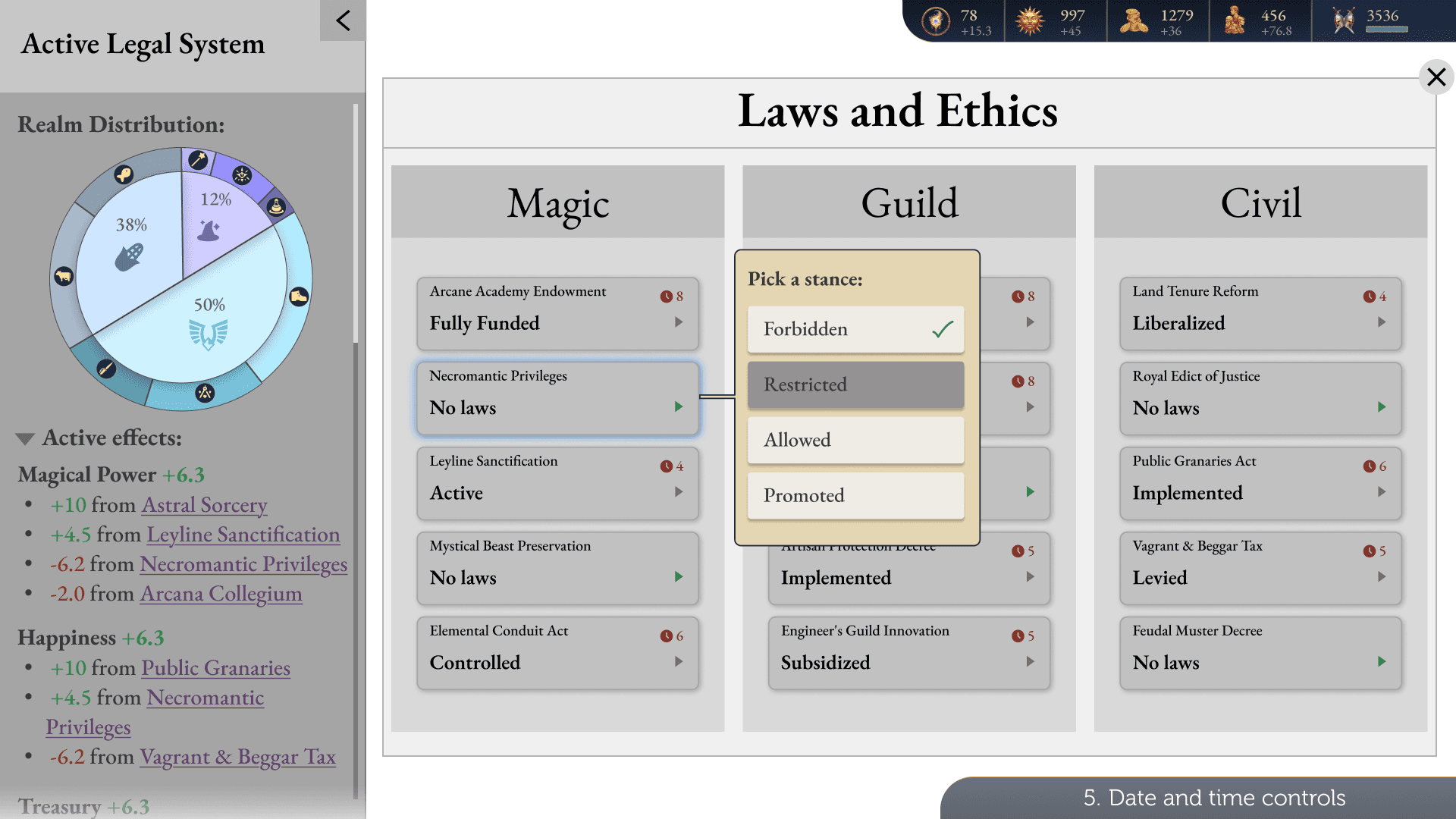
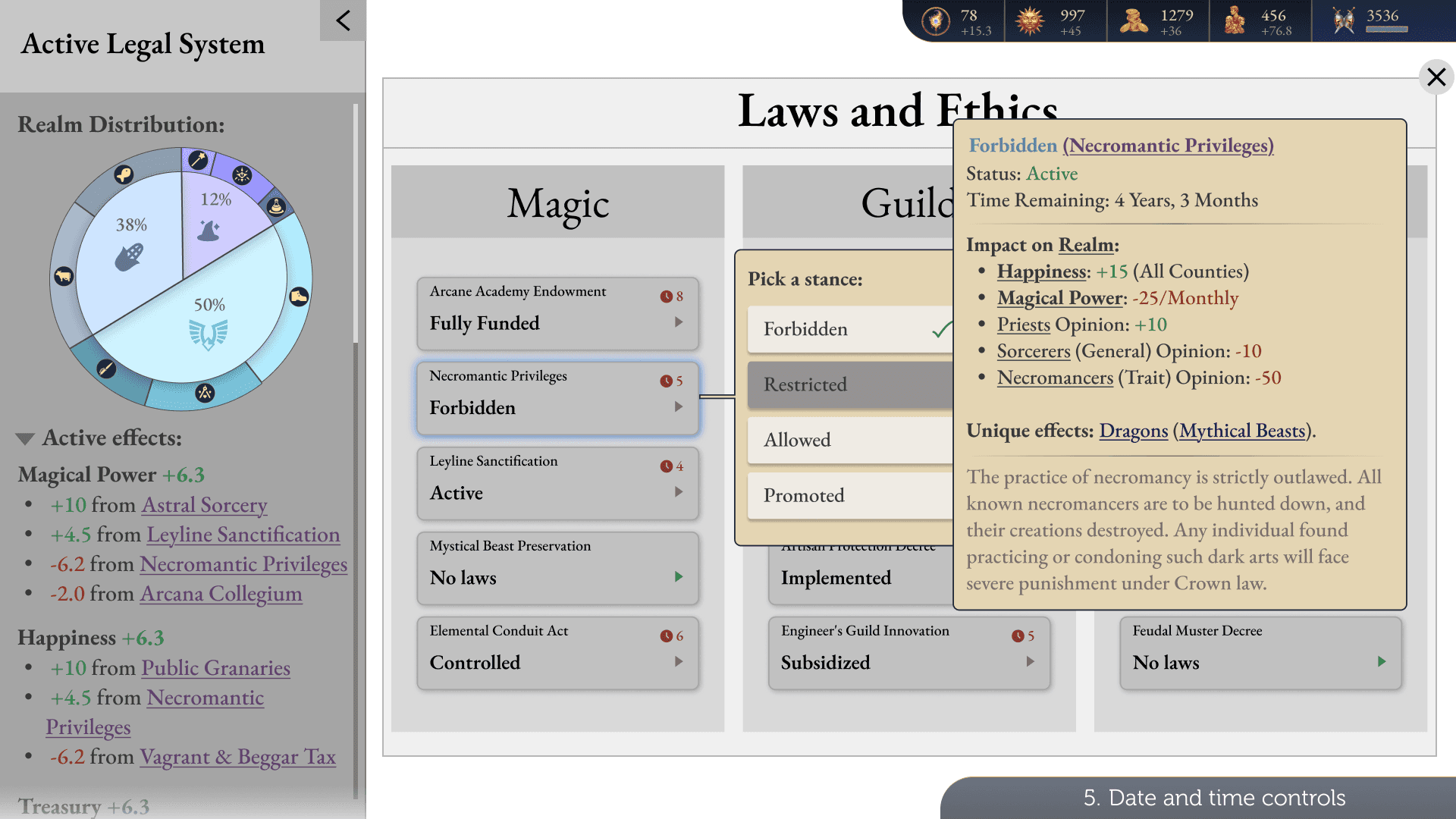
The player opens the laws, taps a law with no stance, hovers each stance to read its tooltip, comes back to Forbidden, picks it, and hovers it once more. Then it starts again.
Resources glow before you commit
While the player hovers a stance, the attributes it would raise glow green and the ones it would lower glow red.

Fold away what isn’t critical
Minor effects, locked benefits and sometimes the flavour text fold into a collapsible section, to cut the information overwhelm.
In a complex system, the first job is to become fluent in it
Talking to expert players taught me more than any screen could. Most of the week went into decoding the game: what a tooltip holds, how stances behave, and how its systems pull on each other.
Live indicators everywhere
Real-time visual cues on resources across the game, not just on stance hover.
Test the pie and the panel
With both new and veteran players.
Removing a stance
The flow I left out of scope.
Thank you for reading!
Let’s make something clear.