One sale template for every feature
- Role
- UX designer, first sketch to final screens
- Game
- FarmVille 2: Country Escape
- Players
- 400K+ daily active
Design one pack that re-themes for any feature and stays clear whatever gets plugged into it.
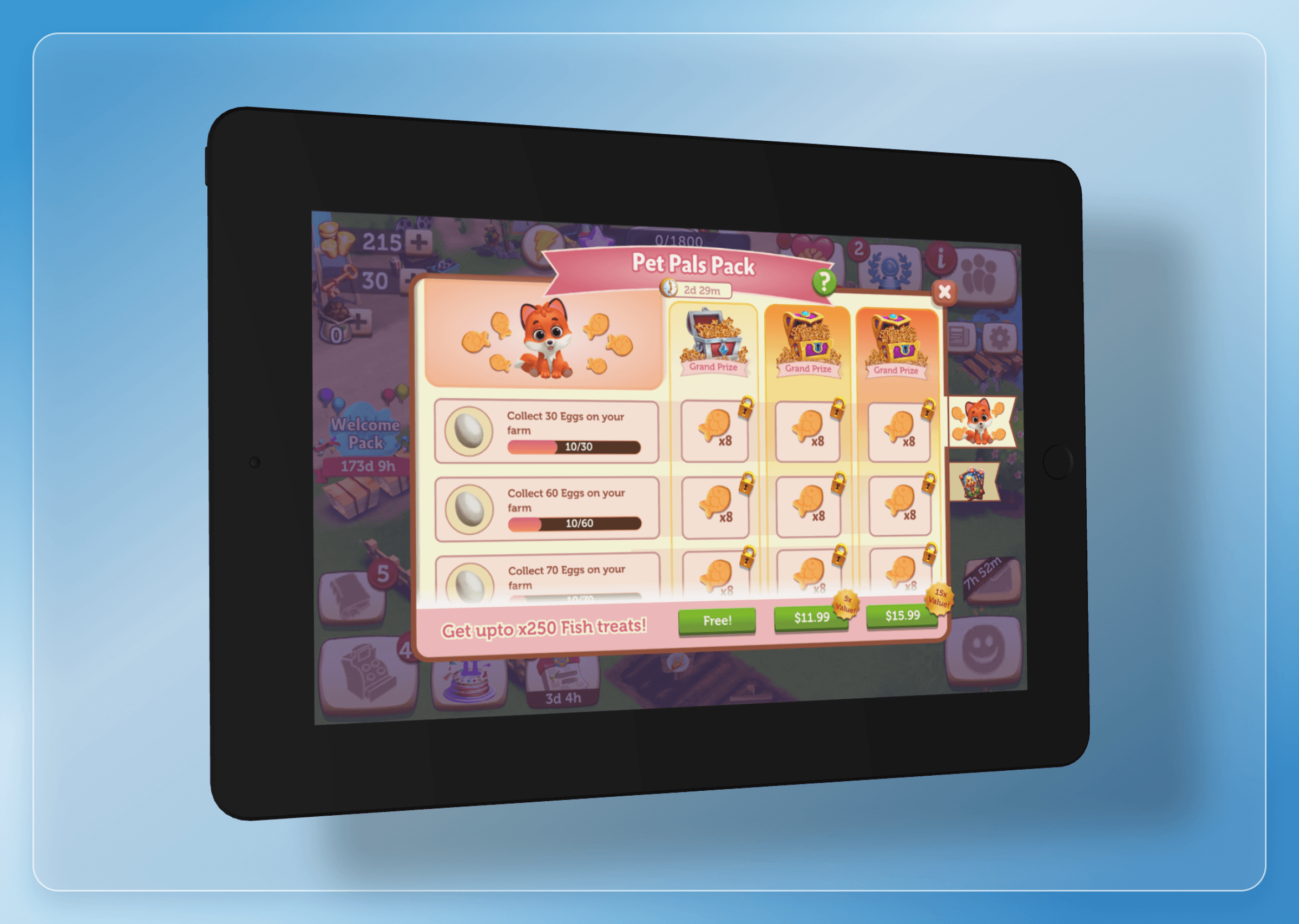
FarmVille 2 runs many features at once: pets, cards, fishing and more. Zynga wanted progression sales that could sit on top of any of them, several at a time.
Every pack is different underneath
Each pack is tied to a feature and to the player's progress in it. The number of tracks, the tasks, the rewards, the grand prize and where the pack shows up all change from one pack to the next, and several packs can run at the same time.
Design by elimination
Try many layouts quickly, then cut anything that slowed down the path to the purchase buttons.
How easy each one was to read, where the eye went before the buttons, and how clearly the tasks led to the grand prize.
A flipbook of sales
My first idea was a flipbook. Every sale running at the time gets its own page, and players flip between them. Nothing else in the game worked like this, so it would feel fresh.
Why I cut it: it kept players engaged, but reaching a sale took several taps. Every extra tap is a chance to drop off before the purchase.
Six layouts for one screen
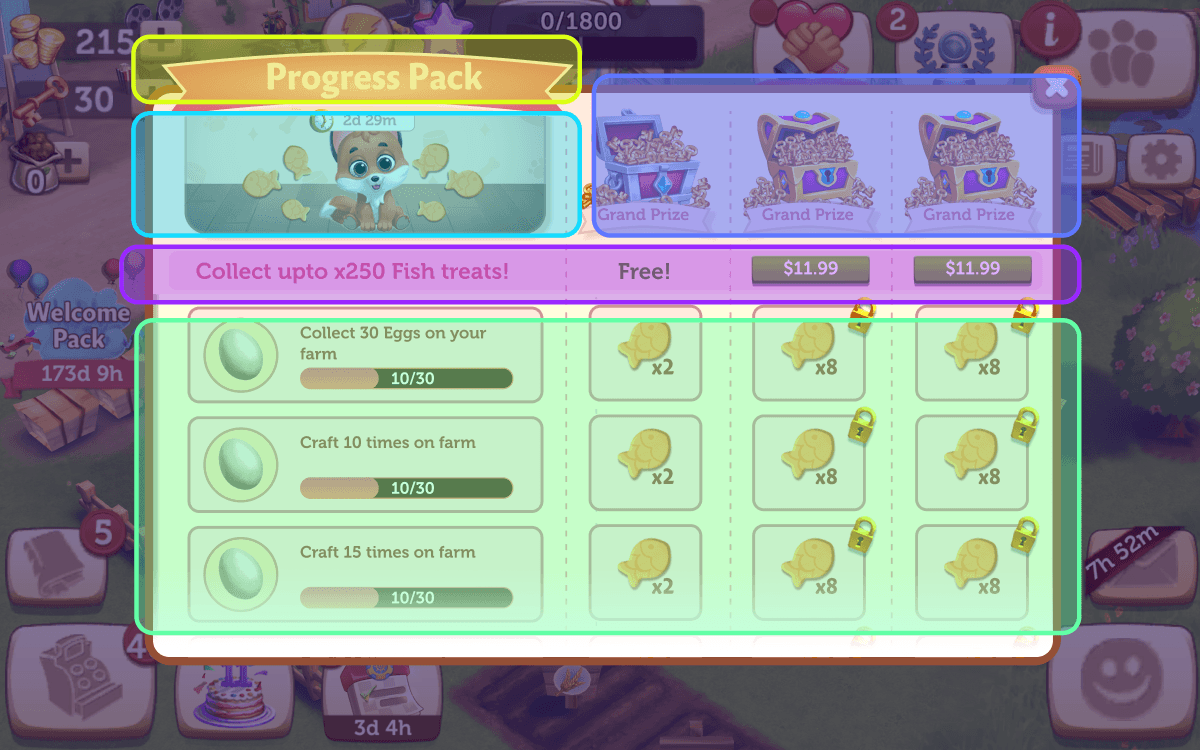
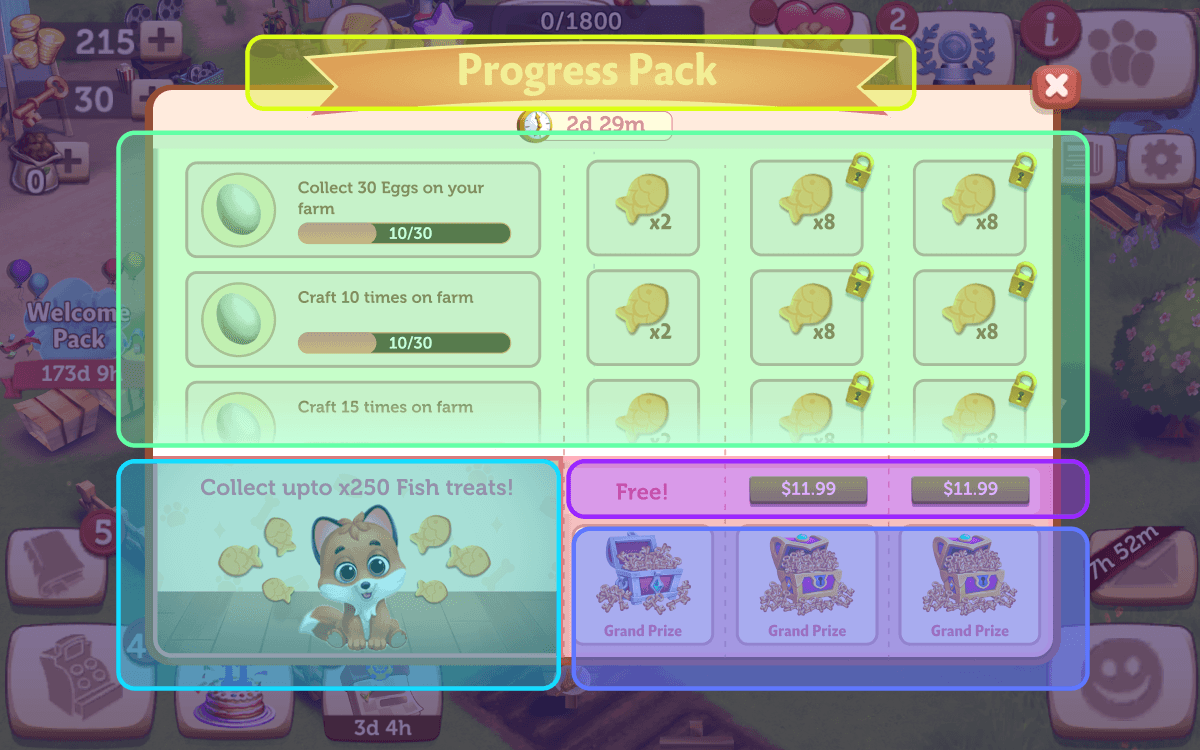
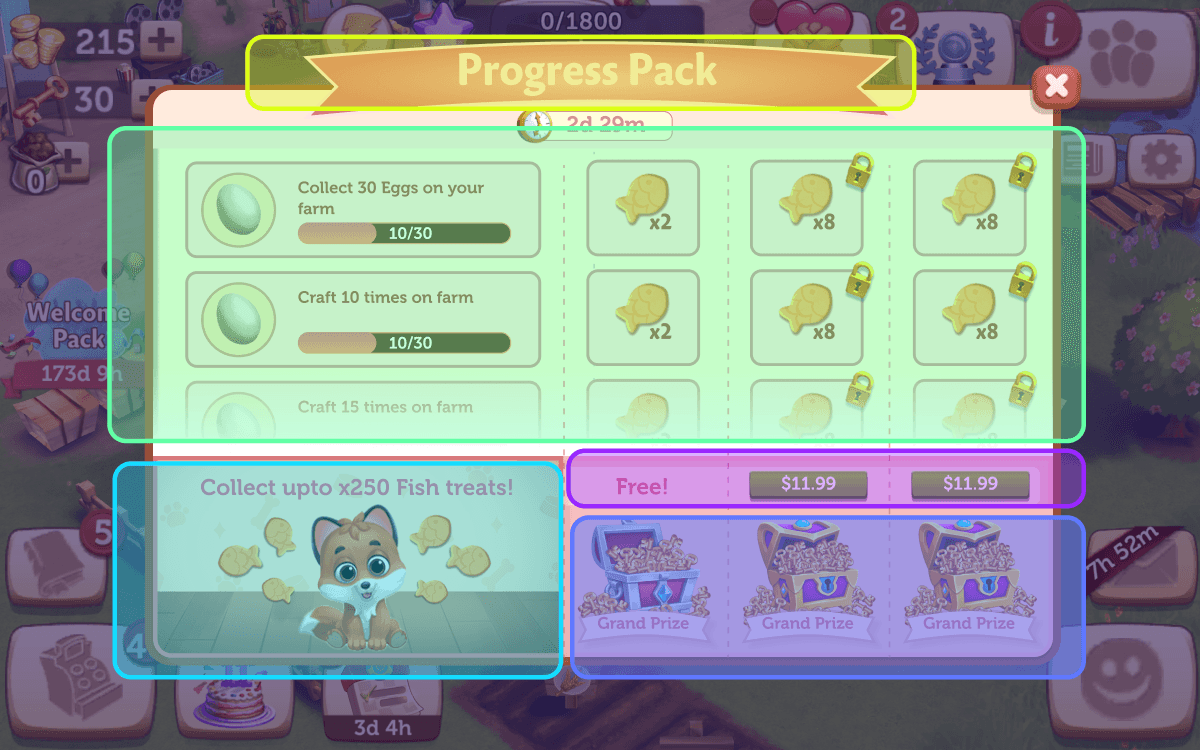
Next: a single screen with one tap in, visually tied to its feature. The hard part was placement, so I moved five blocks around until one layout clearly worked.
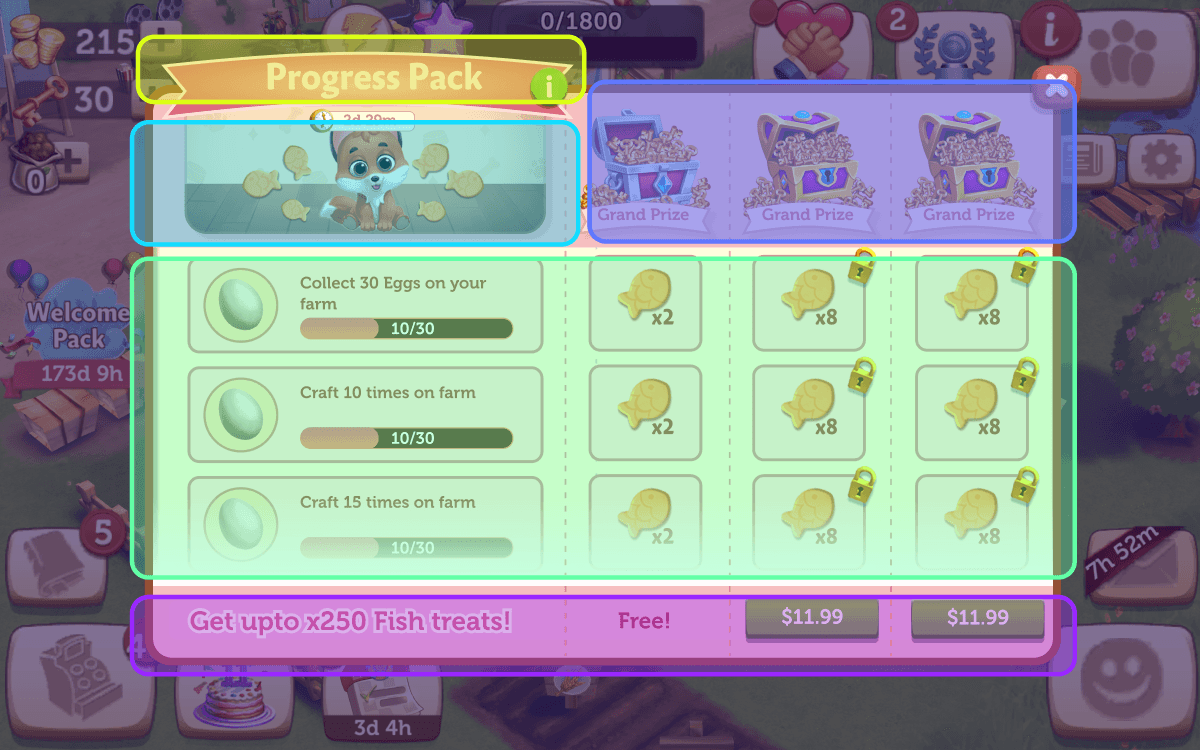
Yellow is the header, teal the key art, blue the grand prizes, pink the purchase buttons and green the tasks and rewards.


One layout survived
Information hierarchy, where the eye travels before the purchase buttons, and how clearly each track leads up to its grand prize.
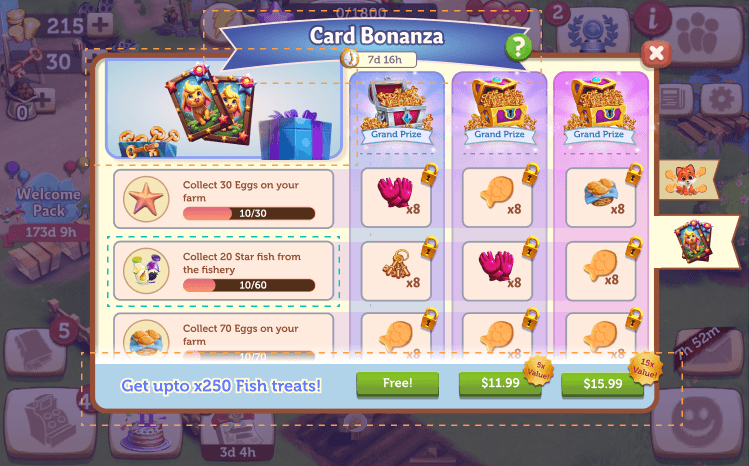
One layout: key art and grand prizes along the top, tasks on the left, and a single purchase bar along the bottom. I refined it into the final design.
The final layout, block by block
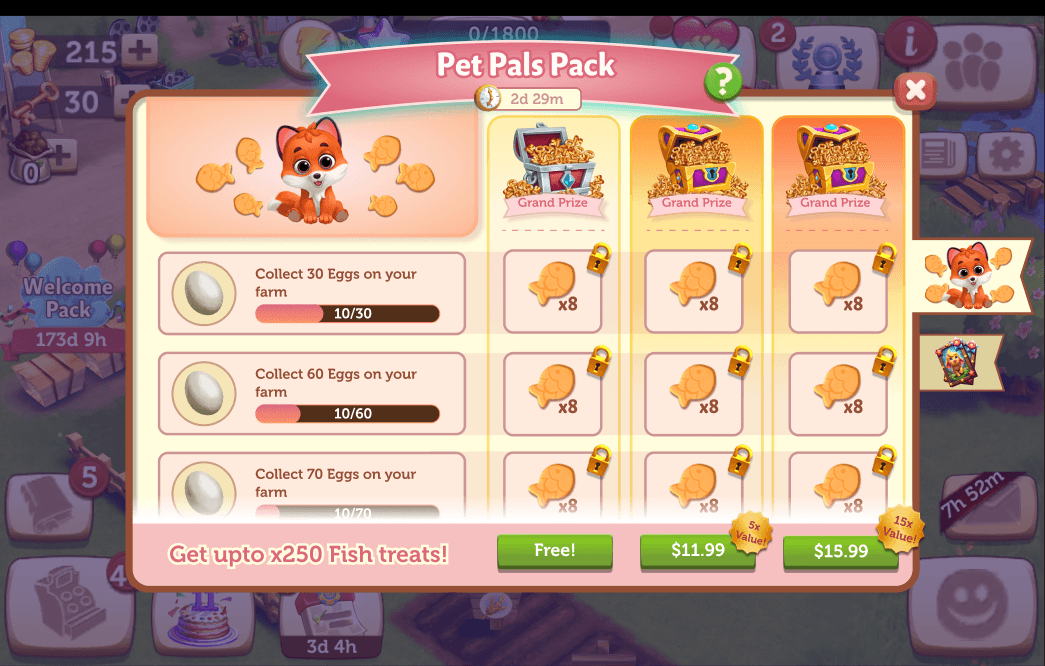
It reads in one pass: what the pack is, what to do, what you get, and how to unlock it.
 1234567
- 1HeaderPack name and timer, themed per feature
- 2Key artTies the pack to its feature at a glance
- 3Task tracks (horizontal)One row per task, read left to right
- 4Help screenRules live one tap away, not in a tutorial
- 5Reward tracks (vertical)Free, then two paid tracks, grand prize on top
- 6Navigation tabsSwitch between packs running at the same time
- 7Purchase CTAsOne bar, right under the rewards they unlock
Built to be re-skinned
The same template flexes with very little re-theming. A pack can have one, two or three tracks. Tasks and rewards change with each feature. And packs for different features can run side by side.

Free rewards first
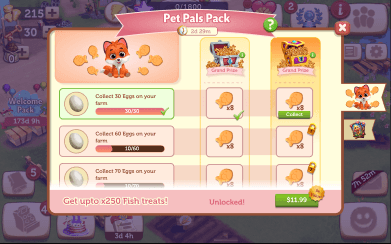
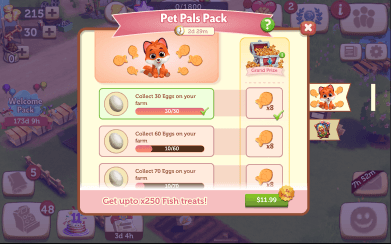
A short intro breaks the locks on the free track. That small win feels good, and nudges players towards the two paid tracks.
What buying a track looks like
Cards change state as a track is bought, its rewards unlock and then get collected, so players see exactly what they paid for.
Locked rewards wiggle
If a player taps a ready reward on a track they haven't bought, the locks wiggle and a tooltip points them to the buy button.
A reminder as time runs out
Close to expiry, the pack shows up on the message board: three days left, then two, then one.
One more chance after it ends
Players who finished 5 or more tasks without buying get a final offer to claim their rewards. We A/B tested two versions.
Variant A: both buttons side by side, for an equal comparison.
Variant B: the second button appears after a short delay, to pull attention to the purchase.
What the template made possible
New packs need only new art, tasks and rewards. The layout, flows and states carry over.
One screen that explains itself, the same way every time, whichever feature the pack belongs to.
Thank you for reading!
Let’s make something clear.